
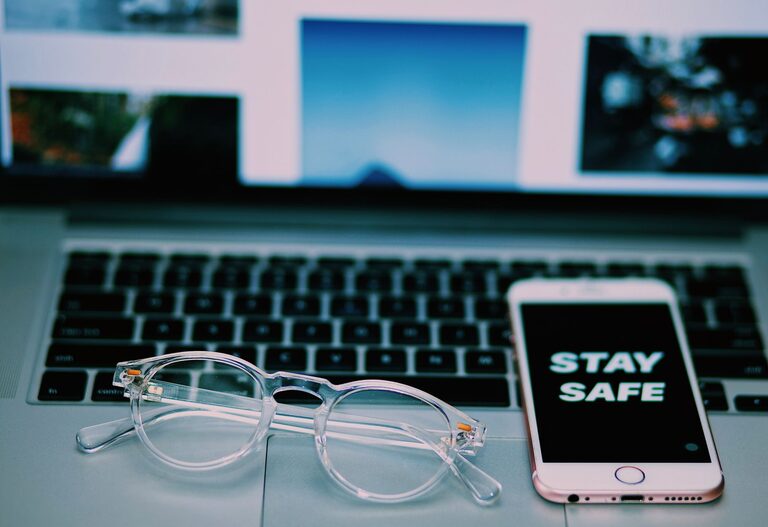
Keeping your phone and keyboard clean is essential—not just for hygiene but also to ensure these devices continue working smoothly. Everyday use exposes them to dust, oils, crumbs, and germs. However, cleaning electronics requires care to avoid causing damage. In this article, we’ll guide you through safe and effective methods to clean your phone and keyboard.
Why Cleaning Your Phone and Keyboard Matters
Phones and keyboards are among the most frequently touched items in our daily lives. They can harbor bacteria, viruses, and dirt. Regular cleaning helps:
– Reduce the buildup of germs and allergens
– Prevent sticky keys or a less responsive touchscreen
– Extend the life of your devices
– Improve overall appearance and feel
Now, let’s explore how to clean these devices safely.
General Safety Tips Before Cleaning
– Turn off your device: Always power down your phone or unplug your keyboard before cleaning to avoid accidental inputs or short circuits.
– Avoid harsh chemicals: Strong cleaners can harm screens and key coatings. Stick to mild, electronics-safe products.
– Use soft, lint-free cloths: Microfiber cloths are ideal for wiping surfaces without scratching.
– Keep moisture minimal: Excess liquid can seep into openings and damage internal components.
—
How to Clean Your Phone Safely
Phones come with delicate screens and sensitive components, so cleaning requires extra caution.
Supplies You’ll Need
– Microfiber cloth
– Distilled water
– Isopropyl alcohol (70% or less) or screen-safe cleaning solution
– Cotton swabs or soft-bristled toothbrush (optional)
– Compressed air (optional)
Step-by-Step Phone Cleaning Guide
- **Power off and unplug your phone.**
- **Remove the case and accessories.** Clean the case separately with soap and water, then dry it thoroughly.
- **Prepare a cleaning solution:** Mix equal parts distilled water and isopropyl alcohol or use a pre-made screen cleaner designed for electronics.
- **Dampen a microfiber cloth:** Lightly moisten the cloth with the solution—never spray directly on the device.
- **Gently wipe the screen and back:** Use soft circular motions to remove fingerprints, smudges, and dirt.
- **Clean around buttons and ports carefully:** Use a dry cotton swab or compressed air to remove dust without pushing it further inside.
- **Dry your phone:** Use a dry microfiber cloth to remove any moisture left on the surface.
- **Wait a few minutes before powering on:** This ensures any residual moisture evaporates completely.
Tips to Keep Your Phone Cleaner Longer
– Wash your hands before using your phone.
– Avoid eating while using your device.
– Use a screen protector to help resist smudges and scratches.
– Clean your phone regularly, ideally once a day or a few times per week.
—
How to Clean Your Keyboard Safely
Keyboards accumulate dust, crumbs, and oils from fingers, which can lead to sticky keys and unhygienic conditions.
Supplies You’ll Need
– Microfiber cloth
– Isopropyl alcohol (70% or less)
– Cotton swabs
– Compressed air canister
– Small brush (a clean paintbrush or toothbrush works well)
Step-by-Step Keyboard Cleaning Guide
- **Unplug or turn off your keyboard.** If you’re using a laptop, shut it down completely and disconnect power.
- **Shake out loose debris:** Turn the keyboard upside down and gently shake it to dislodge crumbs and dirt.
- **Blow away dust:** Use compressed air to blow out particles trapped under keys. Hold the can upright and use short bursts to avoid moisture buildup.
- **Brush the keys:** Gently sweep between keys with a small brush to loosen dirt.
- **Wipe keys with a damp cloth:** Lightly dampen a microfiber cloth with isopropyl alcohol and wipe the tops of the keys. This helps disinfect and remove oils.
- **Detail clean with cotton swabs:** Dampen a cotton swab with alcohol to clean edges and spaces between keys carefully. Avoid soaking the swab.
- **Let the keyboard air dry:** Make sure no moisture remains before plugging or powering it on again.
Deep Cleaning Option (Mechanical Keyboards)
If you have a mechanical keyboard with removable keys:
– Remove the keycaps using a keycap puller or gently with your fingers.
– Soak keycaps in warm soapy water for about an hour, then dry completely.
– Clean the keyboard base with compressed air and a cloth dampened with alcohol.
– Reattach the keycaps once everything is dry.
—
Additional Tips for Both Devices
– Avoid using bleach or ammonia-based cleaners as they can damage surfaces.
– Do not submerge your devices in water or cleaning solutions.
– Use screen-safe protectors and keyboard covers to minimize dirt buildup.
– Clean your workspace regularly to reduce dust and dirt settling on devices.
—
Conclusion
Cleaning your phone and keyboard regularly helps maintain their appearance, functionality, and hygiene. By following the simple steps above and using the right materials, you can safely keep your devices clean without risking damage. Remember to handle your electronics gently and avoid excessive moisture. With a little routine care, your phone and keyboard will stay looking and working great for years to come!